
How to make the Unforgettable AI car video
Start with my photoThere are three ways to make the Unforgettable AI car video, the 24 car trend where a supercar appears behind you after an UNO card swipe: film it with a real car, write a prompt for an AI video tool, or add one photo of you here and pick the car. This guide walks through the photo-only way step by step, then shows how to turn the finished clip vertical and post it on TikTok.
- You need: one clear photo of you
- You get: a 10-second 16:9 clip
- Then: crop it to 9:16 and post
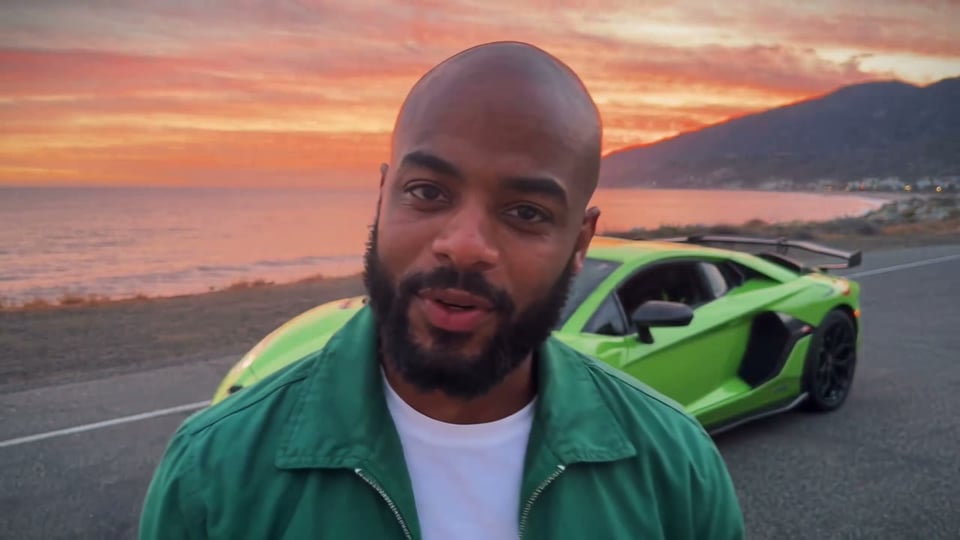
Three ways to make the 24 car trend video
Pick by what you have: a car, time to write and retry prompts, or just a photo.
| Film it yourselfWith a real car | Write an AI promptIn an AI video toolGet the prompt | One photo hereNo prompt to writeUse my photo | |
|---|---|---|---|
| What you need | A supercar, an empty road, a friend to film and a clean cut | A photo of you, a long prompt and a few tries | A photo of you; a car photo only if you want your own car |
| Time it takes | An afternoon of filming and editing | Writing the prompt, then a few runs to get it right | A minute to set up, then you wait for the video |
| The shape | Whatever you film | Whatever the tool and your photo give you | 10 seconds, 16:9, 720p |
| What can go wrong | Missing the moment the cards cover the lens | Wrong card numbers, warped hands or a car that pops in | A face that looks off if the photo is unclear |
| Good for | Owners showing off their own car | People who like to tinker and want a different setting | Getting the classic sunset version without writing anything |
How to make the Unforgettable AI car video from one photo
Three steps, and you can close the tab while your video is made.
- 1
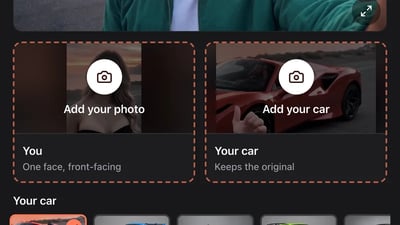
Add a clear photo of you
Use a photo where you face the camera in even light, ideally from the chest up. One person only, no sunglasses or mask. Your outfit comes from this photo too, so choose one you like being seen in.
- 2
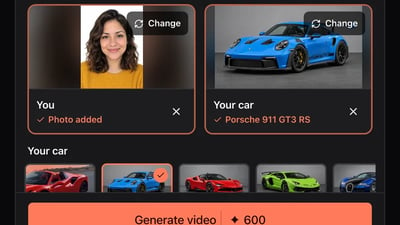
Pick the car that appears
Tap one of the eight preset cars, from a Porsche 911 GT3 RS to a Tesla Cybertruck. To use your own car, tap Your car and upload a sharp photo of the whole car from the side or the front corner, with nobody in front of it. Skip it and you keep the red convertible from the original clip.
- 3
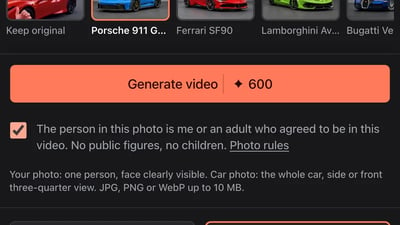
Generate, then download it from My videos
Tick the box confirming the photo is you or an adult who agreed, then press Generate video. The finished clip waits in My videos for 30 days, where you can download it or copy a share link.
Make your Unforgettable AI car video
Add one photo of you, then pick a car or add a photo of your own.
You and your car
Add your photo · the car is optional
Your car
Your photo: one person, face clearly visible. Car photo: the whole car, side or front three-quarter view. JPG, PNG or WebP up to 10 MB.
- No app
- No watermark
- Credits back if a video fails
Make the Unforgettable car video vertical (9:16) for TikTok and Reels
Your clip is widescreen 16:9, like the original. You can post it as it is: TikTok and Reels play it with bars above and below, and nothing gets cut. For a full-screen 9:16 version, crop it:
- 1
Open it in a video editor
Download the clip from My videos and open it in an editor such as CapCut. Start a new project and add the clip.
- 2
Switch the canvas to 9:16
Change the canvas or ratio to 9:16, then zoom the clip until it fills the screen. A 9:16 crop keeps only the middle third of the frame, so you and the car may not both fit. Keep the car in view after the swipe, or move the crop between the opening and the reveal if your editor lets you.
- 3
Check the reveal, then export
Play it through once: the cards should still cover the lens before the car shows. Export in the highest quality the editor offers; a cropped clip looks a little softer than the widescreen one.
Add the sound and post your 24 car trend video
A few small things make the reveal land.
- 1
Choose your sound
Your clip keeps the sound of the clip it is based on. If you would rather use TikTok's "Unforgettable" sound, add it from the sound library when you post and turn the clip's own volume down.
- 2
Caption and hashtags
Say what it is in your own words, such as "my 24 car trend", and add #24cartrend and #unforgettablecartrend. People looking for the trend find it through those words.
- 3
Label it as AI
In TikTok's post settings, switch on the AI-generated content label. Instagram and YouTube have their own AI label when you upload.
Fixing your Unforgettable AI car video
Most problems come from the photo. Change one thing at a time; each new try uses credits like a new video.
The face does not look like you
- Try this next
- Use a sharper photo, facing the camera, in even light, with nothing covering your face
- Keep as is
- Your car choice
The outfit is not the one you wanted
- Try this next
- Upload a photo in the outfit you want; the video copies the clothes from your photo
- Keep as is
- The car and the photo framing
Your own car looks different
- Try this next
- Use a photo of the whole car from the side or the front corner, with no people in front of it
- Keep as is
- Your own photo
The video did not finish
- Try this next
- Press Generate video again; the credits for a failed video come back on their own
- Keep as is
- Both photos
How to make the Unforgettable AI car video: questions
Not here. You add a photo and pick a car, and the card swipe, the timing and the sunset road come from the trend's clip. If you want to try it in another AI video tool, our prompt guide has a full prompt to copy.
The clip is widescreen 16:9. Post it as it is with bars above and below, or crop it to 9:16 in a video editor; the crop keeps the middle third, so check the car is still in view.
No. The sunset coast road and the sea from the trend's clip stay in every video; what changes is who is in it and which car appears.
It is not instant. You can close the tab; the video waits in My videos when it is ready.
Each video uses 600 credits. $9.90 makes one video, and bigger packs cost less per video. There is no subscription, and a failed video gives its credits back.
Only if they are an adult and agreed to it. Photos of public figures and children are not allowed.
More Unforgettable car guides
What is the Unforgettable car trend?
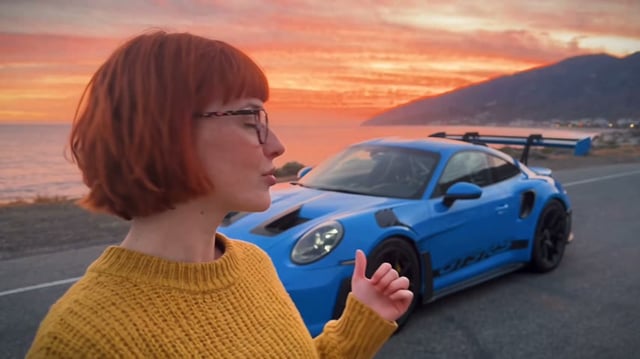
The Unforgettable car trend is a short selfie video with a twist: you talk to the camera, hold up two green UNO cards, a +2 and a +4, and sweep them across the lens. When the cards clear, a supercar is suddenly parked right behind you. It runs to the song "Unforgettable" by French Montana and Swae Lee, and it is also called the 24 car trend.
Unforgettable car trend AI prompt
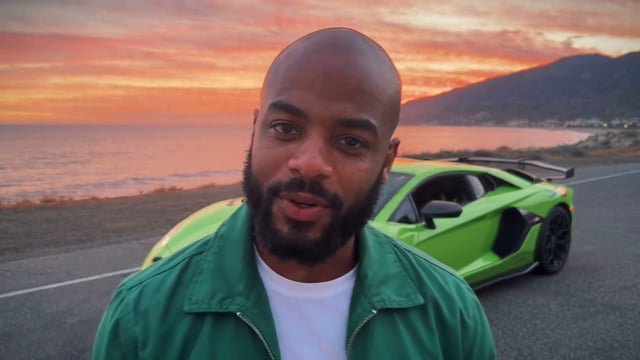
Below is a full Unforgettable car trend AI prompt to copy into an image-to-video tool, a second-by-second version, what happened when we ran it once in Kling 3.0 Turbo, and fixes to try. Rather not write a prompt? Make it here from one photo; the card swipe and timing come from the trend's clip.
Ready for your car reveal?
One photo, no prompt, no editing.